Desk Stress Relief Products Checklist for 2026
A desk stress relief products checklist is a structured tool that helps office workers and remote employees build a workspace that actively reduces physical strain and mental fatigue. The ergonomic essentials you choose first determine how effective every other stress relief product will be. Physical discomfort compounds anxiety, so getting your chair, desk, and lighting right is not optional. Once that foundation is solid, layering in breathing tools, tactile accessories, and organizational products gives you a complete, evidence-backed system for how to relieve stress at work.
1. Desk stress relief products checklist: start with ergonomic essentials
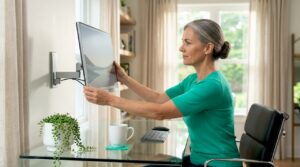
The single most effective category of office stress relief tools is ergonomic furniture and setup. According to the DeskPicks 2026 home-office checklist, a supportive chair, proper desk, good lighting, and a reliable computer form the non-negotiable baseline before you add any stress relief gadgets. Skipping this step and buying fidget spinners first is like treating a headache with aromatherapy while ignoring the fluorescent light blasting directly into your eyes.
Here is the ergonomic foundation every desk setup needs:
- Supportive office chair: Look for adjustable lumbar support, seat height, and armrests. Your feet should rest flat on the floor, and your knees should sit at roughly a 90-degree angle.
- Stable work surface: Your desk should be wide enough for your monitor, keyboard, and a notepad without crowding. Stability matters because a wobbly surface creates low-level frustration that accumulates across an eight-hour day.
- Task lighting: Position a desk lamp to illuminate your work surface without creating glare on your screen. Eye strain is one of the fastest routes to end-of-day headaches and irritability.
- Reliable computer and peripherals: Slow hardware and laggy software are genuine stressors. A wired keyboard, a full-size mouse, and a monitor at eye level all reduce the micro-frustrations that pile up.
- External monitor: If you work from a laptop, a secondary monitor at the correct height prevents neck strain and reduces the cognitive load of switching between windows.
Pro Tip: A posture corrector with real-time vibration alerts can train you to hold a neutral spine position throughout the day, which reduces the shoulder and lower-back tension that feeds into workplace stress.
Ergonomic discomfort compounds stress over time, so prioritizing chair quality and desk stability yields the highest long-term return of any item on this checklist.

2. Breathing and mindfulness tools for quick desk stress relief
Breathing exercises are the most accessible stress management tools available because they require zero equipment and zero setup time. A 2026 Springer Nature study found that 6 to 12 minutes of daily breathing exercises lower perceived stress comparably to structured mindfulness programs. That means a few minutes between meetings can produce measurable results.
The most practical breathing-based tools and techniques for your desk include:
- Box breathing: Inhale for four counts, hold for four, exhale for four, hold for four. No app required. This technique activates the parasympathetic nervous system within two to three cycles.
- Guided breathing apps: Apps like Calm, Headspace, or the built-in Breathe feature on Apple Watch provide visual or audio cues that make it easier to stay consistent.
- Digital breathing programs: An npj Digital Medicine study reported that 58% of participants felt benefit from easy-to-implement digital breathing interventions, and 42% planned to continue using them. That adherence rate is high for any wellness tool, which tells you these programs work in real-world conditions.
- Mindfulness bells or chime apps: A soft audio cue every 30 to 60 minutes prompts you to pause, check your posture, and take three slow breaths. Insight Timer offers free interval bell features for exactly this purpose.
Pro Tip: Set a recurring calendar reminder labeled “3-breath reset” every 90 minutes. The label itself acts as a behavioral cue that makes the habit stick faster than a generic alarm.
Breathing tools work best when they are integrated flexibly into your routine rather than treated as a separate wellness session. The goal is to make stress relief a reflex, not a scheduled event.
3. Tactile and sensory tools that reset your focus
Tactile products for reducing desk anxiety work by giving your hands something purposeful to do during moments of frustration or mental fatigue. The effect is not just psychological. Desktop zen gardens, for example, are linked to cortisol reductions of 14 to 22% during short five-minute sessions, according to Zenify’s 2026 research. That is a measurable physiological shift from a product that costs under $30.
The best tactile and sensory desk accessories include:
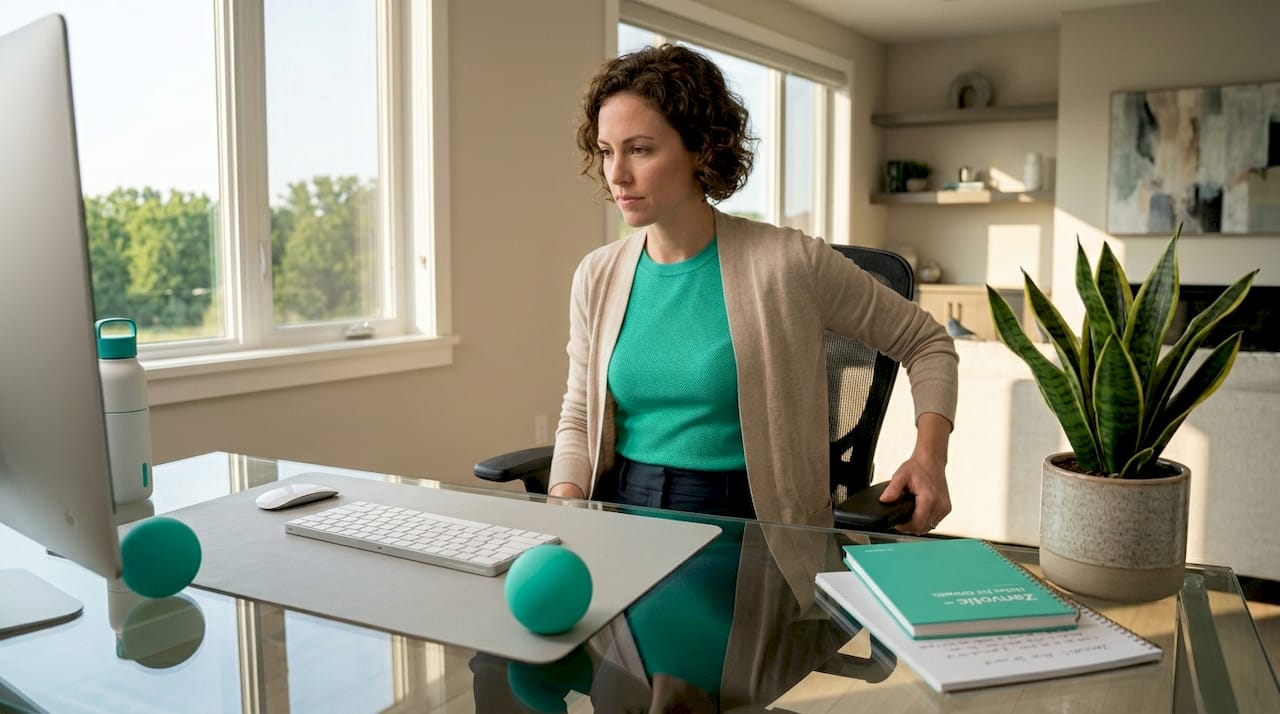
- Stress balls and hand therapy tools: Squeezing a stress ball redirects nervous energy through your hands and away from your jaw, shoulders, and chest. Therapy putty offers variable resistance for a more engaging tactile experience.
- Fidget cubes and sliders: Products like the original Fidget Cube by Antsy Labs give you six different tactile interactions on one small device. These are particularly effective during long calls when your hands have nothing to do.
- Desktop zen gardens: A small sand tray with a rake provides a grounding ritual that shifts attention from abstract worry to immediate physical sensation. Five minutes of raking is enough to interrupt a stress spiral.
- Aromatherapy diffusers: Lavender and eucalyptus essential oils have documented calming effects. A USB-powered mini diffuser from brands like InnoGear or URPOWER fits on any desk without taking up meaningful space.
- Eye massagers: Prolonged screen time creates eye strain that feeds directly into tension headaches. An electric heated eye massager used for five to ten minutes during lunch provides targeted relief that no breathing exercise can replicate.
Tactile tools serve as ritual cues and focus mechanisms, but their therapeutic value depends on repeated, mindful use rather than passive presence on your desk.
4. Organizational products that reduce visual noise
Visual clutter is a low-grade stressor that most people underestimate. A disorganized desk creates a constant background signal that your environment is out of control, which raises baseline anxiety even when you are not consciously noticing the mess. Cable management and desk organizers are legitimate home office wellness products, not just aesthetic upgrades.
The DeskPicks checklist specifically includes cable clips, cable sleeves, and desk organizers as part of the organizational layer that reduces distraction and supports mental calm. Here is what to prioritize:
- Cable management: Use adhesive cable clips from brands like IKEA or 3M to route power cords and USB cables along desk edges and out of your sightline. Cable sleeves bundle multiple cords into a single visual unit.
- Desk organizers and drawer inserts: A tiered desktop organizer keeps pens, notepads, and chargers within reach without creating surface chaos. Bamboo organizers from brands like Marbrasse or SimpleHouseware are durable and visually calm.
- White noise machines: Auditory distraction is as real as visual clutter. A white noise machine from LectroFan or Marpac Dohm masks office chatter and HVAC noise without requiring headphones.
- Small plants: A single low-maintenance plant such as a pothos or snake plant adds a natural visual anchor that research consistently links to reduced stress. Keep it to one or two plants to avoid the opposite problem of a cluttered surface.
- Minimalist desk mat: A large desk mat in a neutral color unifies your workspace visually and reduces the number of surfaces your eye has to process.
The organizing principle here is subtraction before addition. Remove what creates friction before adding products that promise calm.
5. How to choose the right products for your work style and budget
Choosing the best desk stress reducers requires matching products to your specific work style, not buying everything on a checklist at once. The WHO and ILO policy brief on mental health at work makes clear that products alone are insufficient without broader behavioral changes. That framing matters: products are tools, not solutions.
Use this comparison table to match product categories to your situation:
| Product category | Best for | Budget range | Setup time |
|---|---|---|---|
| Ergonomic chair | All-day desk workers with back pain | $150 to $600+ | 30 minutes |
| Breathing app | Anyone with a smartphone | Free to $70/year | Under 2 minutes |
| Stress ball or fidget cube | High-focus tasks, long calls | $8 to $25 | Immediate |
| Desktop zen garden | Creative workers, visual thinkers | $15 to $45 | 5 minutes |
| Aromatherapy diffuser | Open offices or private home offices | $20 to $60 | 5 minutes |
| Cable management kit | Cluttered multi-device setups | $10 to $30 | 20 to 45 minutes |
| White noise machine | Shared or noisy environments | $40 to $100 | 2 minutes |
The sequencing of purchases matters as much as the products themselves. Prioritize your chair and desk before any accessory. A $500 ergonomic chair will do more for your daily stress than $500 worth of fidget tools and diffusers combined. Once the ergonomic base is solid, add micro-intervention tools based on your biggest friction point: if you struggle with focus, try tactile tools; if you struggle with anxiety spikes, start with a breathing app.
Pro Tip: Before buying any new desk product, spend one week tracking when your stress peaks during the workday. That data tells you whether you need a physical comfort fix, a sensory reset tool, or an organizational change.
Key takeaways
A complete desk stress relief setup requires ergonomic comfort as the foundation, with breathing tools, tactile accessories, and organizational products layered on top in that order.
| Point | Details |
|---|---|
| Ergonomics come first | Prioritize chair, desk, and lighting before buying any stress relief accessory. |
| Breathing tools are free | Box breathing and guided apps reduce stress in 6 to 12 minutes with no equipment needed. |
| Tactile tools need ritual use | Stress balls and zen gardens only work when used consistently and mindfully. |
| Visual clutter raises anxiety | Cable management and desk organizers reduce background stress as effectively as sensory tools. |
| Match products to your friction | Identify your peak stress trigger before spending money on accessories. |
What I’ve learned from building my own desk wellness setup
I spent two years adding stress relief products to a desk that was fundamentally uncomfortable, and the results were predictably poor. A $40 aromatherapy diffuser does nothing meaningful when your lower back is screaming at hour five of a bad chair. The ergonomic foundation is not a preference. It is the prerequisite for everything else to work.
Once I fixed the chair and monitor height, the smaller tools started to matter. I use box breathing between back-to-back calls, not because it sounds good in theory, but because it genuinely interrupts the cortisol spike that builds up across a full meeting day. The Springer Nature research on breathing exercises confirmed what I had already noticed: six minutes is enough to shift your state. You do not need a 20-minute meditation session.
The tactile tools are where I see the most variation between people. A fidget cube works brilliantly for some colleagues and feels like a distraction to others. My own preference is a desktop zen garden for creative blocks and a stress ball for long calls. The key insight from Zenify’s research is that these tools function as ritual cues. The act of picking them up signals to your brain that a reset is happening. That signal only develops through repeated use.
The one thing most desk wellness articles skip is the organizational layer. Clearing cable clutter and adding a white noise machine changed my focus more than any sensory product I bought. Calm surroundings produce a calmer mind. That is not a metaphor. It is how attention systems work.
— Zeeshan
Build your desk wellness routine with Zenvotic
Zenvotic designs wellness products specifically for the physical discomforts that accumulate during long desk days. Whether you need targeted eye strain relief, posture support, or relaxation aids that fit into a five-minute break, the Zenvotic wellness collection covers the categories that matter most for office and remote workers. Every product ships with a 30-day money-back guarantee and uses body-safe, medical-grade materials. If you are ready to move beyond a generic checklist and build a desk setup that actually supports your comfort and focus, browse the full range at Zenvotic and find the products that match your specific work style.
FAQ
What should come first on a desk stress relief checklist?
Your chair and desk setup come first. Ergonomic discomfort compounds stress over time, so fixing your physical foundation delivers more stress relief than any accessory.
Do breathing exercises actually work at a desk?
Yes. A 2026 Springer Nature study found that 6 to 12 minutes of daily breathing exercises reduce perceived stress comparably to structured mindfulness programs, with no equipment required.
Are fidget tools and stress balls effective for desk anxiety?
They are effective when used consistently as ritual cues. Tactile tools like zen gardens can reduce cortisol levels by 14 to 22% in short sessions, but passive presence on your desk produces no benefit.
How much should I spend on desk stress relief products?
Prioritize your chair, which may cost $150 to $600, before spending on accessories. Most effective micro-intervention tools like breathing apps, stress balls, and cable organizers cost under $50 combined.
Can organizational products really reduce workplace stress?
Yes. Visual clutter creates a persistent low-level stress signal. Cable management, desk organizers, and white noise machines reduce both visual and auditory distraction, which lowers baseline anxiety throughout the workday.